Free Tool ROI Calculator

Pipedrive vs Workpex: Key Differences for Sales Teams

Finding the right Pipedrive CRM alternative is essential for businesses looking to manage leads, streamline customer communication, and improve field sales performance.

This comparison explores the key differences between Pipedrive and Workpex to help you choose the CRM that best fits your sales process.

Who Is This For?

Which Businesses Actually Need A Pipedrive Alternative?

Workpex is built for sales-driven businesses that need lead management, communication, and field operations in one place — not spread across a CRM plus three add-ons.

Teams that typically go looking for alternatives to Pipedrive include:

  • WorkPex tick shade icon 2 Education and EdTech organizations managing student inquiries and admissions
  • WorkPex tick shade icon 2 Real estate businesses employing field sales executives
  • WorkPex tick shade icon 2 Travel and tourism companies handling customer enquiries and bookings
  • WorkPex tick shade icon 2 Banking and financial service providers managing lead follow-ups and client communication
  • WorkPex tick shade icon 2 Organizations that want native call tracking and GPS visibility without buying extra add-ons

For businesses that prioritize automated follow-ups and field-team visibility over deal-stage customization, Workpex is a strong option among leading Pipedrive competitors.

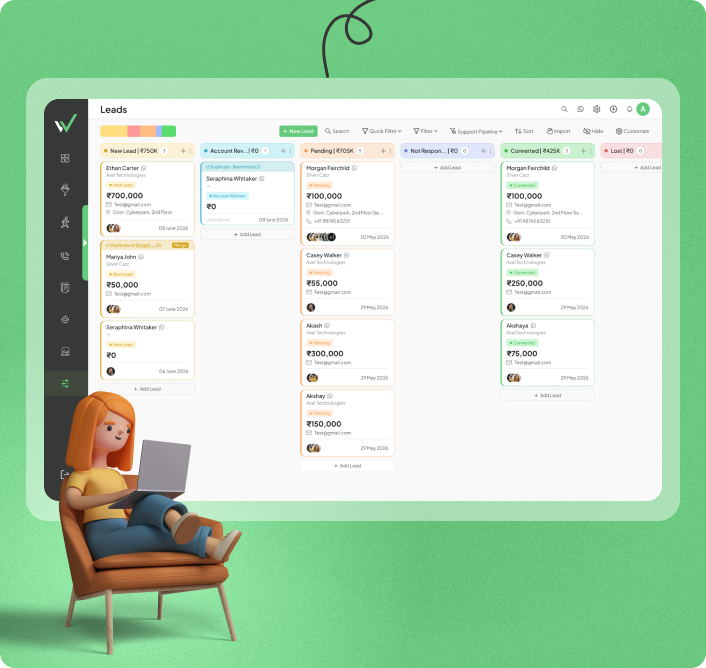
Dashboard displaying lead management and field operations tools in one platform

Pipedrive vs Workpex At A Glance: Features, Pricing & Lead Management

If you're exploring Pipedrive CRM alternatives, this side-by-side comparison highlights the key differences in features, pricing, automation, and lead management to help you choose the right CRM for your sales team.

Category
Pipedrive
Workpex
Starting Price $14/user/month ( approx ₹1,344, Lite plan, billed annually) ₹599/user/month
Free Trial 14-day trial, no free plan Free demo available
Lead Management Visual pipeline, manual stage movement Automated lead assignment + stale-lead alerts
Call Tracking & Recording Native click-to-call on higher tiers; recording via marketplace add-ons Built-in on every plan
GPS / Field Staff Tracking Not available Live GPS tracking
WhatsApp Integration Via Marketplace apps (Twilio, Wazzup, TimelinesAI, etc.) Native WhatsApp support
Facebook / Instagram Ads Via integrations (Zapier/Marketplace) Direct integration
Email Marketing Available via Campaigns add-on Email + WhatsApp + SMS

Should You Stick With Pipedrive Or Switch To Workpex?

Stay with Pipedrive if…

  • WorkPex tick shade icon 2 You run a deal-heavy sales process that needs deep pipeline customization
  • WorkPex tick shade icon 2 Your team is already used to a visual, drag-and-drop deal board
  • WorkPex tick shade icon 2 You're comfortable adding paid add-ons for calling, recording, and marketing
  • WorkPex tick shade icon 2 You need deep integration with a large marketplace of third-party apps
  • WorkPex tick shade icon 2 Your sales motion doesn't involve field or on-ground staff

Switch to Workpex if…

  • WorkPex tick shade icon 2 You need automated lead allocation and stale-lead alerts out of the box
  • WorkPex tick shade icon 2 Built-in call recording matters, without paying extra for it
  • WorkPex tick shade icon 2 You have field sales, delivery, or service staff that need GPS visibility
  • WorkPex tick shade icon 2 WhatsApp should be a core lead-capture channel, not a bolt-on
  • WorkPex tick shade icon 2 You'd rather run on a simple, ready-to-use CRM than configure one from scratch

Pipedrive rewards teams that want to design their own pipeline. Workpex rewards teams that want communication and field tracking working on day one.

Pipedrive vs Workpex Feature Comparison: Where the Two CRMs Actually Differ

A closer look at lead management, calling, communication channels, field tracking, and pricing — the features that actually decide which CRM fits your sales process.

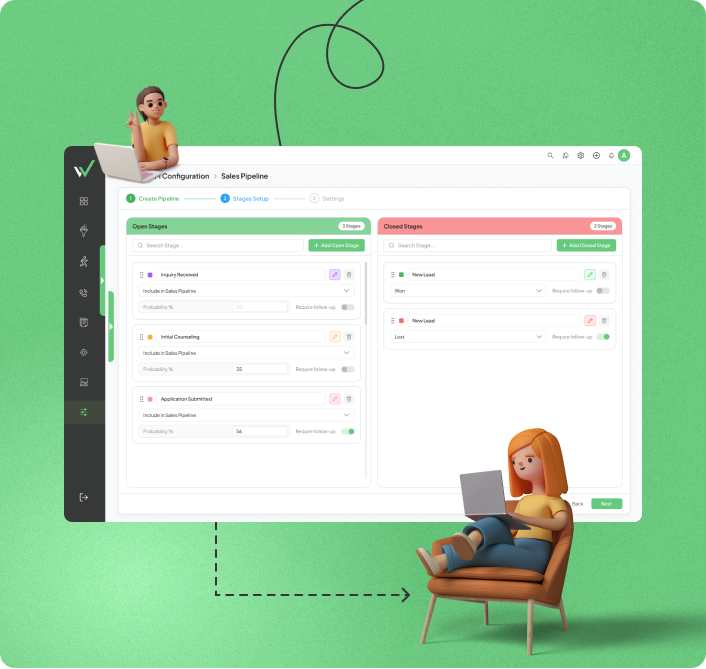
How Leads Move: Pipeline Stages vs Automated Assignment

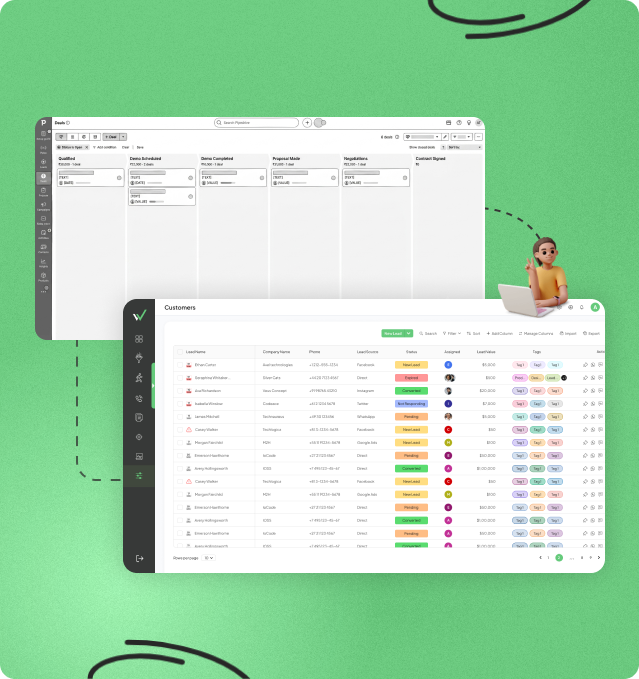
Pipedrive is built around a visual, drag-and-drop pipeline where deals move manually through stages your team defines. It's flexible and highly customizable, but lead assignment and follow-up reminders largely depend on the rules and automations you configure yourself — someone still has to notice when a deal has gone quiet.

Workpex takes the opposite approach. Leads are auto-assigned the moment they come in, based on rules you set once, and the system flags anything that's gone stale or overdue on its own.

If your team keeps losing time to manual lead sorting, that's usually the first reason businesses start looking at alternatives to Pipedrive in the first place.

Lead management dashboard displaying leads, customers, sales pipeline, follow-up activities, and customer information in one view
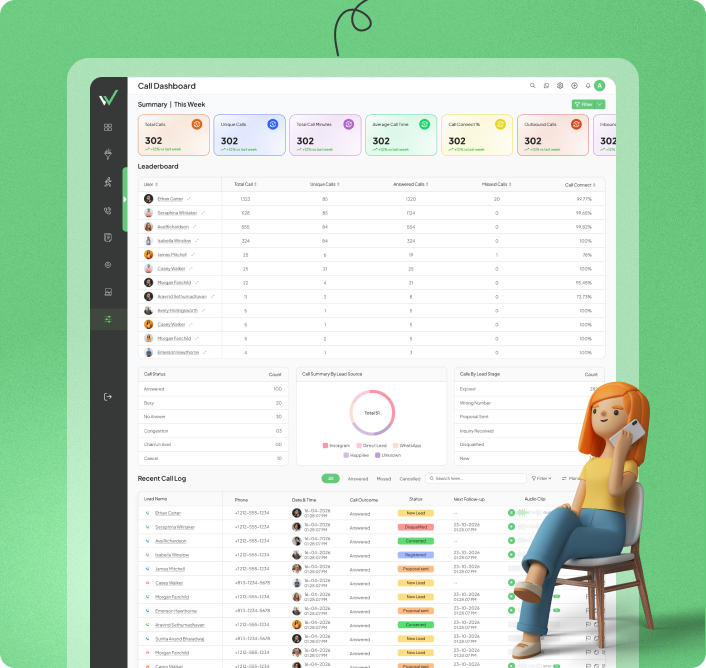
Call tracking and communication dashboard showing call logs, customer interactions, call status, and team communication activities

Calling & Recording: What's Included, What Costs Extra

Pipedrive includes basic click-to-call on its higher tiers, but call recording and more advanced telephony features typically come from marketplace add-ons — you're picking and paying for a third-party app to fill the gap.

In Workpex, call tracking and recording are part of every plan. Calls made through the platform get logged and recorded automatically and tied to the right lead, so managers can review conversations without connecting a separate tool.

For sales teams that lean heavily on phone outreach, calling costs are one of the more common reasons companies compare Pipedrive competitors in the first place.

Reaching Customers: Marketplace Apps vs Channels Built In

WhatsApp isn't part of core Pipedrive. To use it, you're installing and paying for a marketplace app — Twilio, Wazzup, TimelinesAI, and a handful of others all offer this as a bolt-on integration.

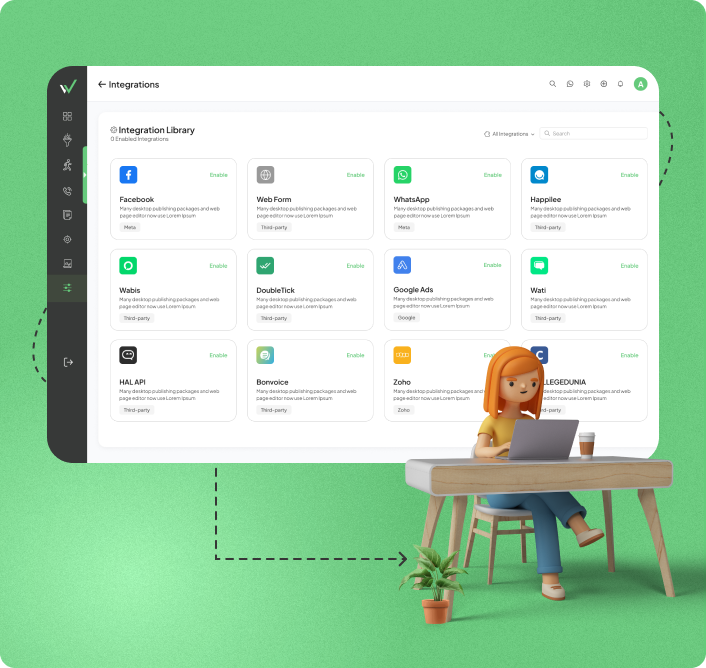
Workpex handles this differently: Facebook Ads, Instagram Ads, and Google Ads connect directly, so leads land in the CRM the moment a form is submitted, and WhatsApp works natively for both campaigns and one-to-one conversations from the same screen.

Teams that run WhatsApp as a primary sales channel — not an occasional one — are often the same teams that end up rating Workpex as the best Pipedrive CRM alternative for communication-heavy sales.

Customer communication dashboard integrating WhatsApp, Facebook, Instagram, and other social channels
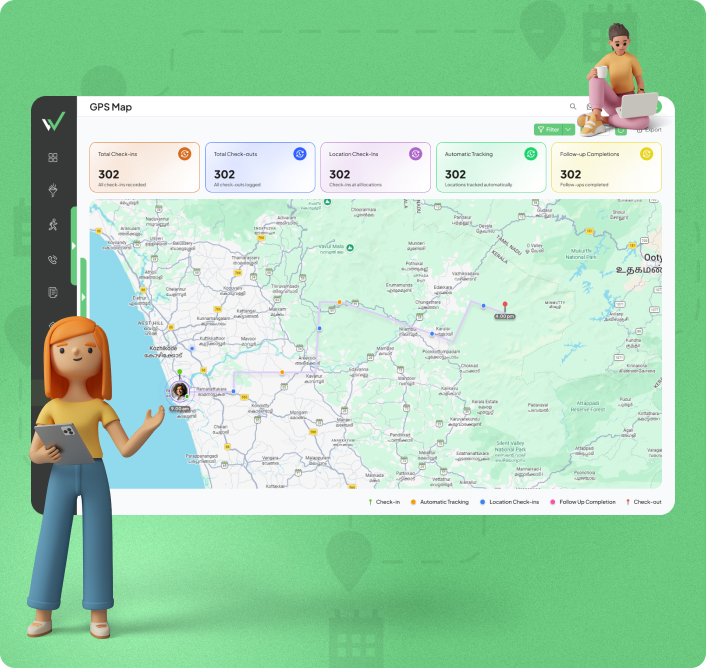
GPS tracking dashboard for field sales teams showing live employee locations, route tracking, and field activity monitoring

Field Visibility: The One Thing Pipedrive Doesn't Do

There's no GPS or field-staff tracking anywhere in Pipedrive, on any plan. Companies with people on the ground — real estate, FMCG, or field service — would need to bring in a separate tracking tool entirely.

Workpex builds this in. Managers can see where field personnel are in real time, directly from the dashboard, without integrating anything extra.

If your sales team spends more time outside the office than in it, this single gap is usually what decides the Pipedrive vs Workpex comparison for field-heavy businesses.

What You Actually Pay For

Pipedrive's Lite plan starts at $14/user/month when billed annually, which looks competitive on paper. The catch is that call tracking, deeper automation, and marketing tools sit behind higher-tier plans or separate paid add-ons — so the number on the pricing page rarely matches what a fully-equipped team ends up paying.

Workpex is priced per seat, with call tracking, WhatsApp integration, and lead automation already built into the base plan.

The practical difference isn't the sticker price — it's how many extra line items show up once your team is actually using the CRM day to day. It's one of the first things worth checking when you're comparing Pipedrive CRM alternatives on paper versus in practice.

Sales pipeline visualization dashboard showing leads, deals, and conversion stages

What Makes Workpex A Strong Pick Among Pipedrive Alternatives

Built for sales teams that need speed, structure, and visibility — without assembling it themselves from add-ons.

Coach Your Sales Team With Real Conversations, Not Guesswork Because every call is already recorded, managers can review actual conversations during 1:1s instead of relying on what a salesperson remembers saying. New hires ramp up faster when they can listen to how top performers actually handle objections.

Respond Before The Lead Cools Off Speed matters more than most CRMs account for — a lead that messages on WhatsApp and waits an hour for a reply is a lead a faster competitor may already be talking to. Keeping that channel inside the CRM cuts the lag between "they asked" and "we answered."

Free Up Your Sales Team To Actually Sell Time spent manually sorting and assigning leads is time not spent selling. Automatic routing means a new lead is in the right salesperson's hands within seconds of coming in, not whenever someone gets around to checking the queue.

Catch Revenue Leaks Before They Become Losses Most lost deals aren't lost to a competitor — they're lost to silence. A lead that never gets a second follow-up quietly disappears from the pipeline. Automatic stale-lead flags close that gap before it costs you the deal.

Ready To Sell Without The Add-Ons?

Pipedrive vs Workpex Pros & Cons: Strengths and Trade-Offs for Sales Teams

If you're weighing Pipedrive CRM alternatives, it helps to see the trade-offs side by side rather than just the highlight reel. Here's a balanced look at where Pipedrive and Workpex each hold an edge — and where they fall short — so you can weigh what actually matters for your sales process.

Pipedrive

Sales Pipeline & Deal Management CRM

Advantages

Highly customizable, visual drag-and-drop pipeline
Large marketplace of third-party integrations
Native click-to-call on higher-tier plans
Well-established platform with broad global adoption
14-day free trial

Disadvantages

No native GPS or field-staff tracking on any plan
WhatsApp requires installing a separate marketplace app
Call recording and deeper automation cost extra
Lead assignment and follow-up tracking are largely manual
Costs can climb quickly once add-ons are needed

Workpex

Multi-Channel Sales CRM

Advantages

Built-in call tracking and recording on every plan
Live GPS tracking for field teams
Native WhatsApp integration
Automated lead allocation and stale-lead alerts
Free demo before you commit

Disadvantages

Pipeline customization isn't as deep as Pipedrive's drag-and-drop board
Smaller third-party app marketplace than Pipedrive
Less suited for teams that want to heavily customize deal stages

When teams start comparing Pipedrive competitors, it's worth weighing both sides honestly — the right choice usually comes down to whether your sales process runs on pipeline flexibility or on field visibility and fast follow-up.

How The Switch

Actually Works

Migrating off Pipedrive is usually a straightforward process. Most teams make the move because they want lead management and field visibility to work without extra setup. The transition is generally smooth, though expect a few small hiccups along the way.

Same leads. Less manual work. Faster follow-ups.

1

Pull your data out of Pipedrive

Export deals, contacts, notes, and pipeline history as CSV files, and tidy up duplicates before you bring anything over.

2

Walk through a free Workpex demo

The onboarding team maps your current sales process, sets up your pipeline, and configures lead assignment and integrations with you.

3

Bring your leads in and set the rules

Import leads into Workpex, organize them by source, stage, location, or owner, and set up assignment, follow-up, and inactivity rules.

4

Hook up your lead sources

Connect Facebook, Instagram, Google Ads, your website forms, and WhatsApp so new leads land in Workpex automatically.

5

Get your team trained and live

Once setup is done, your team can start selling in Workpex right away. Most businesses are fully live within days to a few weeks, depending on complexity.

Got Questions?

Frequently Asked
Questions

Quick answers to help you understand Workpex and its advantages over Pipedrive — the questions we hear most from teams comparing Pipedrive competitors.

They won't carry over automatically — automations are usually specific to how a CRM is built, so this is true of any CRM switch, not just this one. During onboarding, the Workpex team rebuilds your key rules (lead assignment, follow-up reminders, stale-lead alerts) based on how your process actually works today.

For some of them, yes. Calling, WhatsApp, and ad-platform integrations are native in Workpex, so if you're currently paying for separate apps to cover those gaps in Pipedrive, you may be able to drop them. This is one of the more common reasons teams researching Pipedrive competitors end up shortlisting Workpex — fewer tools to pay for and manage. For anything more specialized, it's worth checking with the Workpex team directly rather than assuming full parity.

Yes. Export your deals and contacts from Pipedrive as a CSV file and import them directly into Workpex during onboarding.

Some, mainly because the two tools ask your team to work differently — less manual pipeline upkeep, more relying on automated rules and alerts. Most teams adjust within the first couple of weeks, faster if leads and assignment rules are set up correctly at onboarding.